
After an hour reviewing drawings, start by getting up and walking a few steps. Turn your head gently from side to side if that feels comfortable. For engineers moving between design screens, reports, and remote meetings, a change of position may be more useful than holding a demanding stretch. The point is to interrupt a long spell of stillness, not to reach a particular range of motion.
Start with movement, then stretch
There is no single desk posture that harms everyone, and sitting upright without moving will not necessarily prevent discomfort. How long muscles and joints stay in one position often matters more. A brief walk, standing during a call, or switching between seated and standing tasks changes the demands on your body. Stretching can follow if you want to explore a comfortable movement.
Choose stretches that suit your space and clothing. Move slowly, breathe normally, and stop short of pain. A mild pull may feel comfortable; sharp pain, tingling, dizziness, or symptoms spreading down an arm or leg are reasons to stop. Do not bounce or force a joint farther than it moves easily. You need not stretch every area on every break.
A short sequence beside the desk
These movements need no floor space or equipment. Use a stable chair or desk for balance if necessary, but avoid leaning on a wheeled chair. Stay in each position only while it feels comfortable. Around 10 to 20 seconds is a starting point, not a target to endure. Repeat on the other side where appropriate.
Neck and shoulders
- Gentle neck turn: Sit or stand tall with relaxed shoulders. Turn your head to one side as far as feels comfortable without tipping it upward. Return to center, then turn the other way. Do not pull your head with a hand.
- Side-of-neck stretch: Let one ear move slightly toward the shoulder on that side, keeping both shoulders low. A small movement is enough. Stop if you feel tingling or pain into the arm.
- Shoulder rolls: Gently raise your shoulders, move them back, and let them drop. After several slow rolls, reverse direction. There is no need to make the circles large.
Reading small annotations can draw your head toward the screen. Moving the monitor or enlarging the text may help more than repeatedly stretching your neck before returning to the same viewing position.

Chest, upper back, and forearms
- Chest opening: Stand with your arms relaxed, then gently draw your shoulder blades toward each other and let your chest open. Keep your lower back neutral rather than arching to make the movement bigger.
- Upper-back reach: Bring your arms forward at a comfortable height and reach ahead, allowing your shoulder blades to move apart. Relax your neck and avoid locking your elbows.
- Forearm stretch: Extend one arm in front of you, keeping the elbow soft. With your other hand, gently guide the fingers back, then ease them downward to feel a different part of the forearm. Use light pressure, especially if you have wrist symptoms.
If your work shifts between a mouse, keyboard, and handwritten markups, changing tasks may help as much as stretching your forearms. Do not use a stretch to work through persistent hand numbness or weakness.
Hips, legs, and ankles
Standing hip-flexor stretch: Hold a stable surface for balance. Step one foot back with both feet pointing forward, then gently shift your weight onto the front leg. Keep your torso upright and your back leg reasonably straight without locking the knee. You may feel a stretch at the front of the rear hip. Shorten your step if your lower back feels compressed.
Seated leg extension: Sit toward the front of a stable chair and extend one leg, resting its heel on the floor. Keep your spine comfortably long and hinge forward slightly from the hips. Do not round your back aggressively or try to touch your toes. If the stretch behind your thigh feels too strong, bend the knee a little.
Calf and ankle movement: With support, stand with one foot behind you and its heel down, then shift forward gently. If standing is inconvenient, lift and lower your heels while seated and circle each ankle slowly. The seated movements are easy to fit between tasks.
Fit breaks around real work
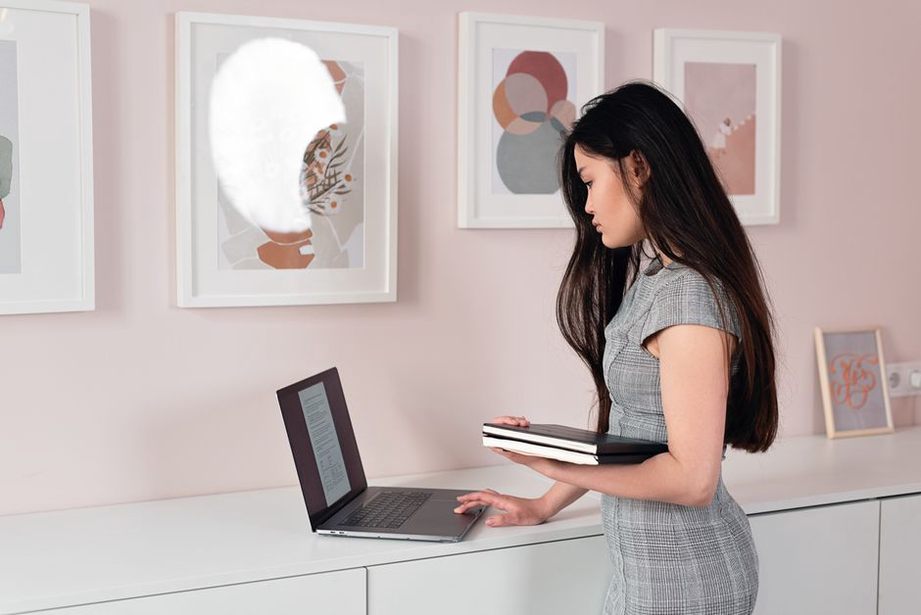
Attach a break to a transition you already make: after a design review, before a video meeting, or while a large model loads. Walk briefly, then choose two or three movements for the areas that feel stiff. You could also review printed notes standing before returning to the desk for detailed edits.
A timer need not dictate when you move. If a concentration-heavy task runs long, take a break at a sensible pause. When standing during a meeting is impractical, uncross your legs, shift your feet, or roll your shoulders gently without disrupting others.
Stretching cannot make up for a workstation that repeatedly makes you crane your neck, reach for the mouse, or leave your feet poorly supported. Keep frequently used items within easy reach and position the screen so you can view it without sustained neck strain. Comfort depends on the person and the task. An adjustment should make it easier to change position, not lock you into a supposedly ‘correct’ posture.
When to change course
Skip movements that aggravate a recent injury or known condition, and follow your clinician’s advice if you have specific restrictions. Seek medical guidance for persistent or worsening pain, recurrent numbness or tingling, weakness, or symptoms that interfere with daily activities. Stretching may help with comfort; it is not a diagnosis or treatment for those symptoms.
Before your next long drawing review, clear enough space beside your chair to stand safely. At a natural pause, walk to refill your water, then try a gentle shoulder roll and a standing hip stretch before sitting down again.