
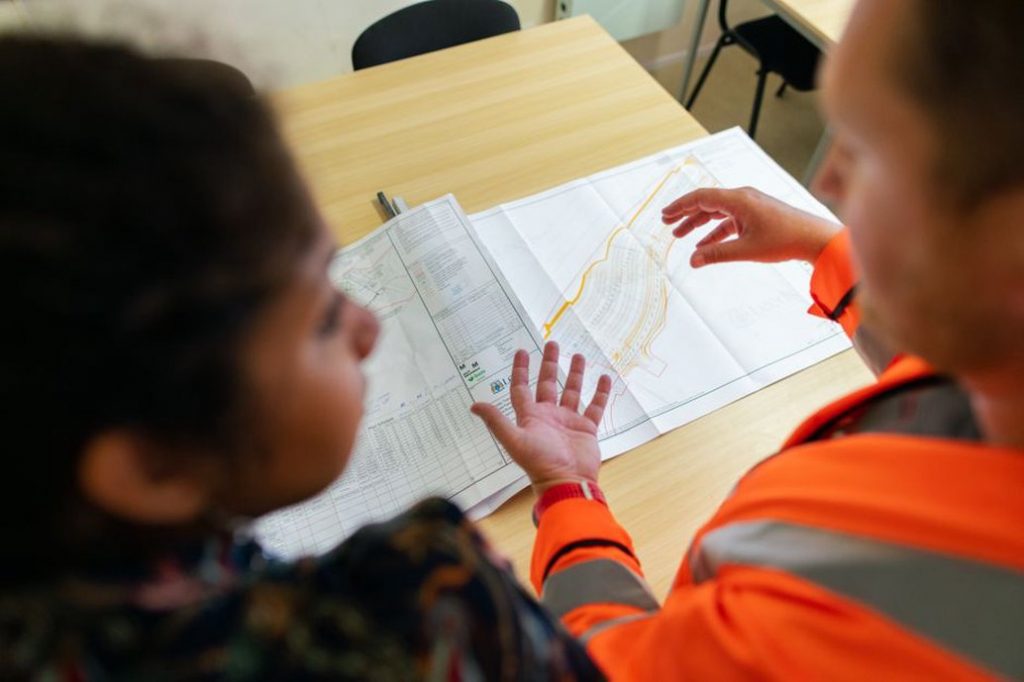
“Please review the attached drawing” leaves the reviewer to work out which revision to use, what to check, and when to reply. “Please check the drainage callouts on drawing D-104, Rev C, against the latest survey and send comments by Thursday at 14:00” gives them a specific task. If the check is limited to the drainage callouts, say so explicitly. A check of one part of a drawing is not approval of the whole sheet.
Put the task in the subject line and first sentence
A reader should be able to tell whether an email asks for action before opening it. “East approach drainage — check Rev C callouts by Thursday” gives the reviewer a task and is easier to find later than “A few comments.” If no response is needed, “Tunnel inspection — Tuesday access window confirmed” says more than “FYI” on a forwarded thread.
Open with what the reader needs to do, decide, or know. Put the reason next. If the request comes after three paragraphs about how a survey correction arose, the reader has to reconstruct the problem before finding out what you need.
- Action: “Please upload the signed pavement test report to the project register by 12:00 on 18 June.”
- Decision: “Please confirm whether to issue the inspection summary now, with the laboratory results marked pending, or wait for the results.”
- Information: “Wednesday’s bridge inspection has moved to Thursday. No reply is needed unless the change affects your crew’s availability.”
Use a calendar date if “Thursday” could become ambiguous when the message is forwarded. Add the time zone when teams work in different locations. If another task depends on the deadline, name it: “We need comments by 14:00 so document control can include them in the scheduled issue.” The reviewer then knows why it matters to flag a conflict early.
Give each recipient enough context to act
Give recipients enough detail to identify the asset, find the right material, and act on the request. A bridge engineer may need the asset and element identifiers, the inspection date, and a photograph reference. A planner arranging access may need the location and expected duration of the visit, but not the full set of inspection photographs. Include what the people doing the work need, rather than writing for everyone who might eventually see the thread.
“See the updated file” is easy to misread when several revisions are circulating. Give the document number or title, the revision, and the sheet, table, or section to check. If the controlled copy is in the project system, point readers there rather than attaching another copy by default. When an attachment is necessary, check that both the filename and the revision shown in the file match the email.
The same precision applies to measurements. “Movement increased by 3 mm” is hard to assess without an instrument or location identifier, a reference reading, and a measurement interval. Include those details if you want the reader to assess the change. If you only need someone to verify an entry, name the two records to compare and make clear that the reported change is not yet confirmed.
Separate observations, interpretations, and decisions
“The sensor failed, so ignore the reading” treats a possible cause as a diagnosis, then gives an instruction based on it. State what the data show and what still needs checking: “The latest export shows a step change at instrument M-07. The cause is unconfirmed. Please compare the export with the field log before the reading is used in the weekly trend review.”
Use verbs that match the status of the work. “Received,” “reviewed,” “accepted,” and “approved” mean different things. “Looks fine” leaves a contractor guessing whether a comment has been resolved, a submission has been accepted, or a formal release is still pending. If the project has a defined process for approvals or instructions, cite the relevant record and use the email to report its status. Copying a manager or receiving no objections does not amount to approval.
For a potentially urgent safety issue, such as suspected damage to a structure in service, use the designated reporting and escalation process rather than waiting for someone to check their inbox. Email can record what you observed, whom you notified, and when. It does not replace a required call or formal notification.
Make multi-person emails easy to answer
Put people expected to respond in the To field and copy those who only need to stay informed. If several specialists are in the To field, assign each action by name or role. “Can someone verify the chainage?” leaves the task unassigned. “Survey lead: please verify the chainage shown in Table 2” makes the owner clear. Number separate requests so recipients can reply by item without quoting the whole message. If the requests have unrelated owners and deadlines, separate emails may be easier to track.
Say how you want the response if there is room for confusion. “Please send comments” could prompt a marked-up PDF, a reply in the email body, or edits in a shared document. “Please enter comments in the review register under D-104 Rev C and reply when your review is complete” keeps the comments together. If a review that produces no comments still needs to be recorded, ask the reviewer to log that outcome explicitly.
A vague handoff, rewritten
Before: “Hi all, following up on the approach survey. There seem to be a few differences from the plan. Could you have a look at the attached files and get back to us soon? We need to sort this out before issue.”
After: “Survey lead: Please check whether the chainages in rows 4–7 of the East Approach comparison table match the issued survey, Rev B. Enter any discrepancies in the table, or reply ‘rows 4–7 match,’ by 14:00 on 18 June. Document control needs the result before the scheduled issue. This is a check of the chainage references only, not a request to accept the proposed levels.”
The revised request names both records, sets the limits of the check, and gives the survey lead a way to report either result. It also leaves the decision on the proposed levels outside the scope of the check.
Edit for readers who scan or join late
Give each paragraph one job. Put the reference the reader needs next to the request, and leave the background for later. Replace “this,” “the latest one,” or “as discussed” with the name of the item or a short account of what was agreed. Someone reading on a phone should be able to find the key details without enlarging a screenshot or scrolling across a wide table.
Before sending, read the subject and opening paragraph as if someone had just forwarded the message to you. Can you tell which asset or document is involved, what outcome is needed, and who owns the task? Check that recipients have permission to open the referenced material. If a thread about inspection dates shifts to confirming access, start a new email with a specific subject and carry over only the details needed to confirm the arrangement.
When a review ends, say what was resolved and what is still open. Instead of “Thanks, all sorted,” write: “Survey checked rows 4–7 against Rev B and confirmed that the chainages match. The result is in the review register. The chainage query is closed; the level review remains open.” That gives the next reader a clear basis for closing one item without assuming the drawing is ready to issue.